

 Store chatExample conversation
KrishSales · yourstore.in

Block-Print Cotton Kurta₹1,299₹1,599Save ₹300In your cart · 1SizeMLXLAdded
Your Sales employee answers shoppers in Hinglish, Hindi, Tamil or Telugu, from your real products, prices and stock, and adds to cart inside the chat. On WhatsApp and Instagram too.
Free 60-day beta·No credit card
The same employee, with the same knowledge of your products, answers wherever the shopper writes. Every conversation lands in one inbox, and your team can take over at any time.
Store chatExample conversation Chikankari Cotton Kurta₹1,449 · L in stock
Hindi, Hinglish, Tamil, Telugu or English, in their own script or in Roman letters. Your Sales employee replies in the language the shopper wrote in, using what your product page says.
Chikankari Cotton Kurta₹1,449 · 100% cottonStart a conversation when checkout is left unfinished. Be there when a customer gets in touch.
Your AI employee starts the conversation.
A shopper leaves checkout. Your Cart Recovery employee follows up on WhatsApp or email, answers their questions (delivery, COD, returns) and brings them back to checkout, within your rules.
Explore Cart RecoveryYour customer starts the conversation.
A customer messages on WhatsApp, Instagram, email or your store chat. Your AI employee answers from your store information, or brings in your team.
Explore Customer SupportStore chat, WhatsApp, Instagram and email conversations stay together. See what your employees have said and which questions need you to step in.
Meet your Customer Support EmployeeStore chatWhatsAppInstagramEmail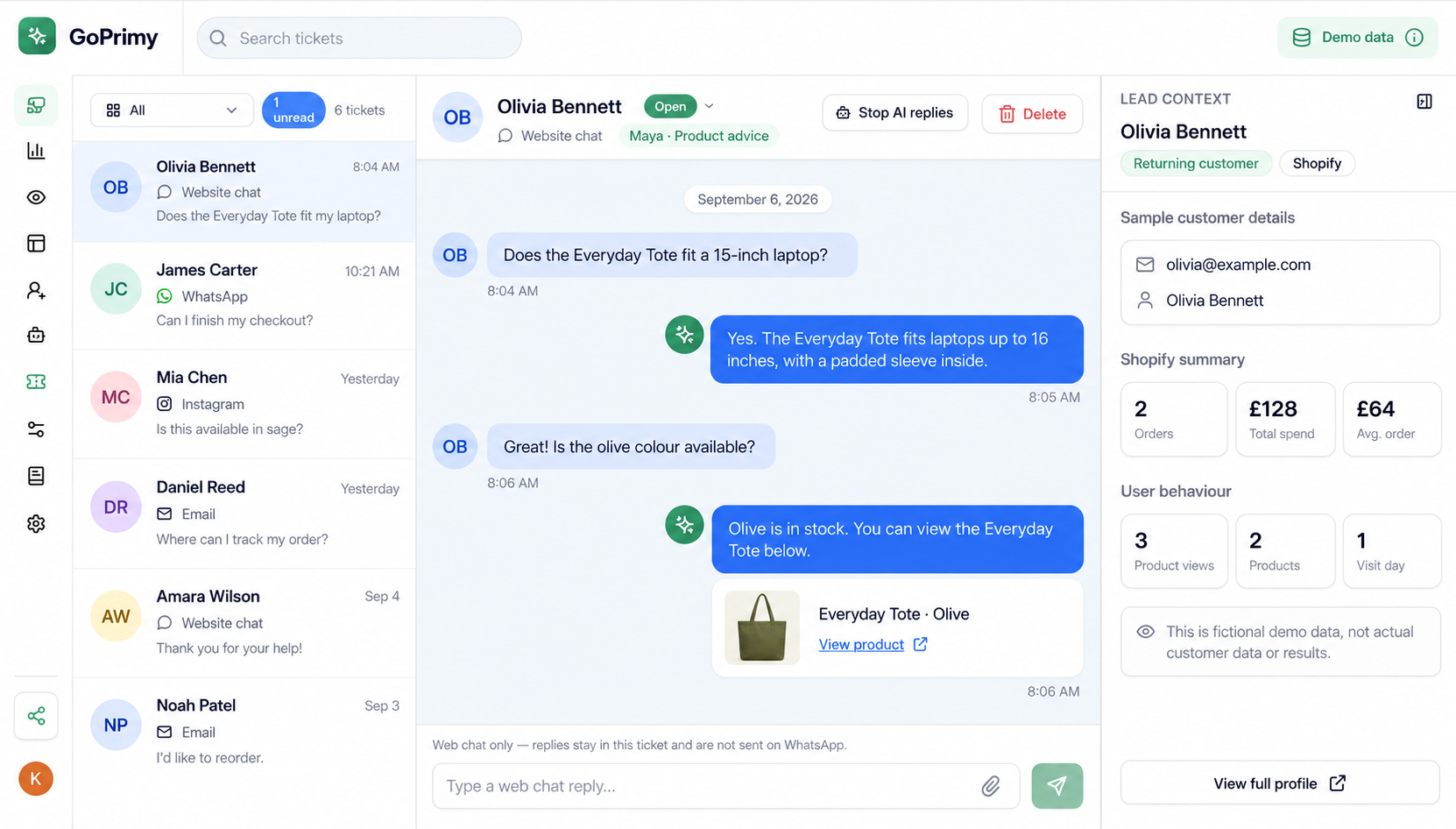
Pick a job below to see how each employee helps. Every employee works under the name you choose.
Your Sales employee answers questions from your real products, prices and stock, in Hinglish, Hindi, Tamil, Telugu or English. It shows the right products and adds them to the cart inside the chat. Name it anything. On our demo store it’s Krish.
Set up your employees, adjust follow-ups and find the customer details you need.
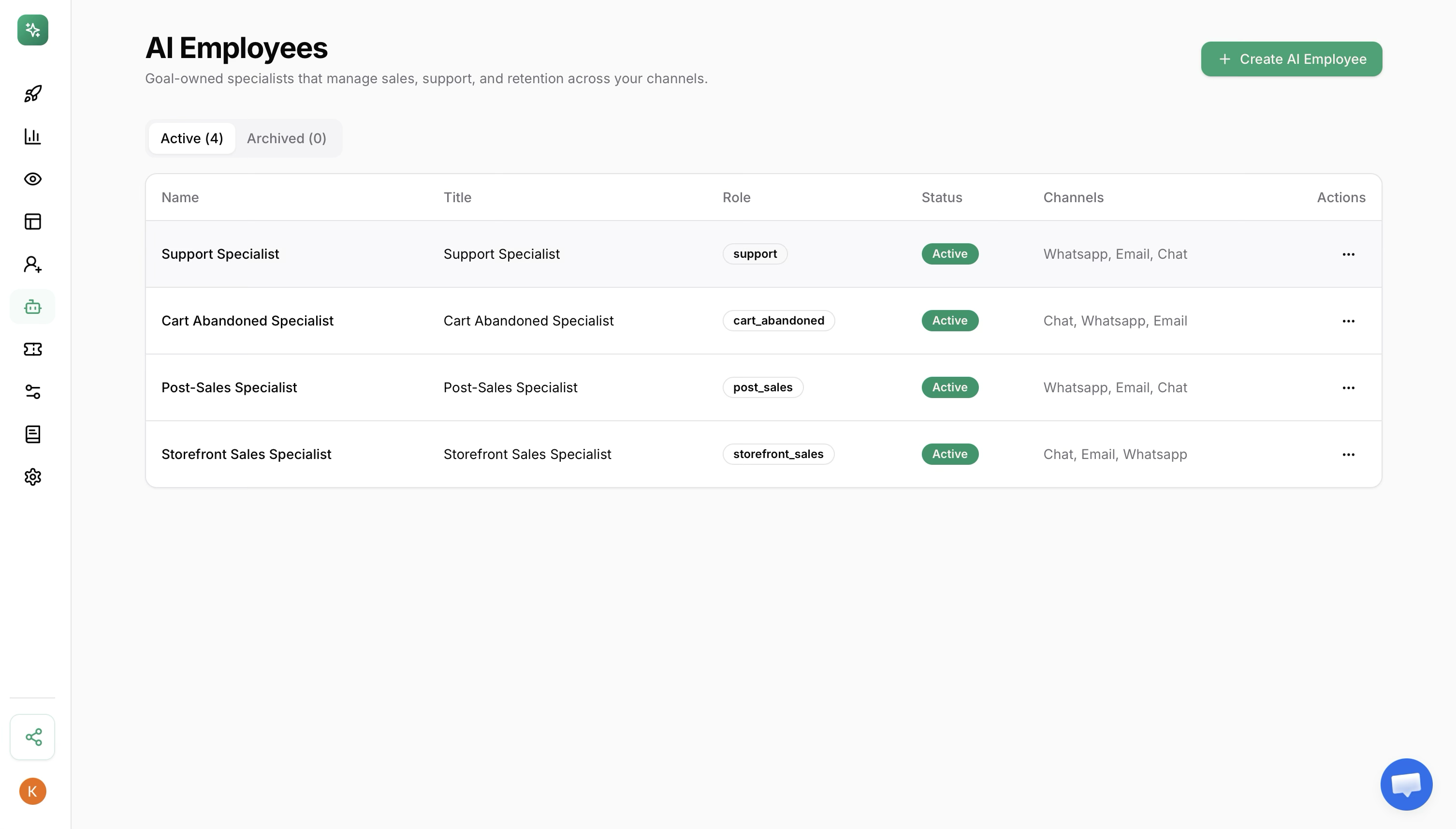
Review your active AI employees, their roles and connected channels in one place.
Say a customer asks for 20% off, but your limit is 15%. The employee pauses and asks you what to do. Try the example here.
“Could you give me 20% off?”
Your Cart Recovery employee paused the offer. You can approve 15% or hold it for review.
Try it above. This example does not send a real message.
Connect your store, choose a job and set your rules. You can review the conversations as your employee gets to work.
Install GoPrimy and connect the channels your customers use: store chat, WhatsApp, Instagram or email.
Choose the jobs, discount limits and requests that need your approval.
Follow the conversations and outcomes. Step in when your judgment is needed.
Not sure where to start? Pick a question your customers ask every day.
Add to ShopifyUse the beta in your own store. See how the employees handle customer questions and decide which jobs you want them to keep doing.
No credit card. No automatic billing when the beta ends.
Review the available plans and terms on Shopify before installing.If there’s something else you’d like to know, just ask.
Ask us a questionEach employee handles a specific job, such as recovering abandoned carts or answering order questions. They use your store context and rules to decide the next step. Unlike a fixed automation workflow, they can respond to the situation and ask you when a decision needs your judgment.
Employees use the relevant Shopify context, such as products, cart contents or order details, alongside your rules. AI can still make mistakes. Review the work and set approval boundaries for decisions you want to handle yourself.
Requests that fall outside your rules are escalated to you. You can review the conversation and decide what happens next. Set the approval boundaries during setup so your team knows when to involve you.
Yes. Set discount limits, the products that can be recommended and the situations that need approval. Employees check those rules before taking action.
Yes. GoPrimy works across store chat, WhatsApp, Instagram and email, with customer conversations in one inbox. You connect the channels you want to use during setup.
Yes. Each employee works under the name you choose, for example Priya or Krish. Shoppers see that name in the chat.
Hinglish, Hindi, Tamil, Telugu and English. Your employee replies in the language the shopper wrote in, in their own script or in Roman letters.
Install GoPrimy through Shopify, connect your channels and set your rules. Start with one job, review the employee’s work, then decide which other jobs to hand over.
The beta gives you 60 days with all five employees, store chat, WhatsApp, Instagram and email, and the work log. No credit card is required and billing does not start automatically when it ends. Review the available plans and terms on Shopify before installing.
Start with one employee or try the whole team.
Your first 60 days are free.